SOFOS 360
Returning an issued pot to the warehouse
Collapse All
Expand All
Introduction SOFOS 360
>
Basic exercises
>
Module Stock
> Returning an issued pot to the warehouse
Click on the Inventory module and then click on
Pot
.
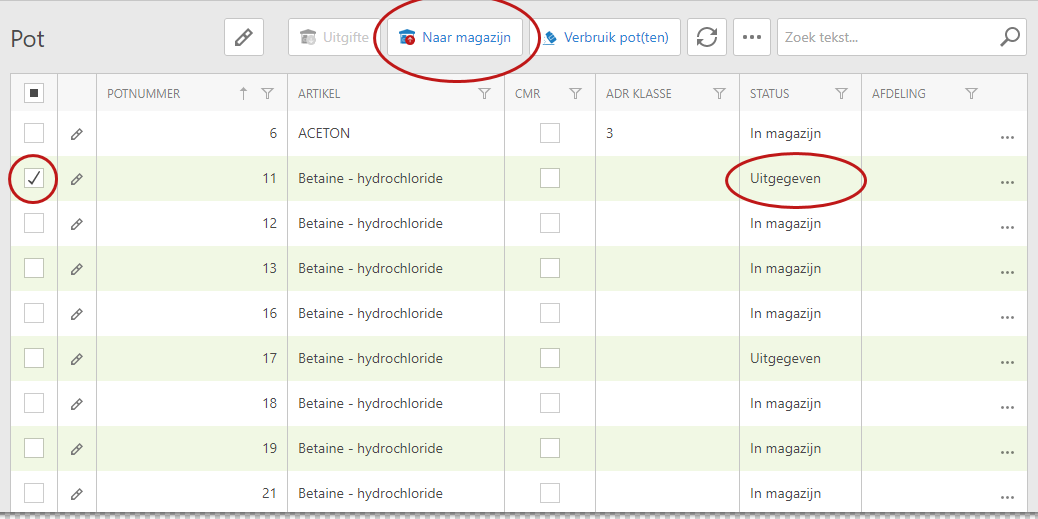
Select a Pot that has Issued status by checking it and click Back to Warehouse.
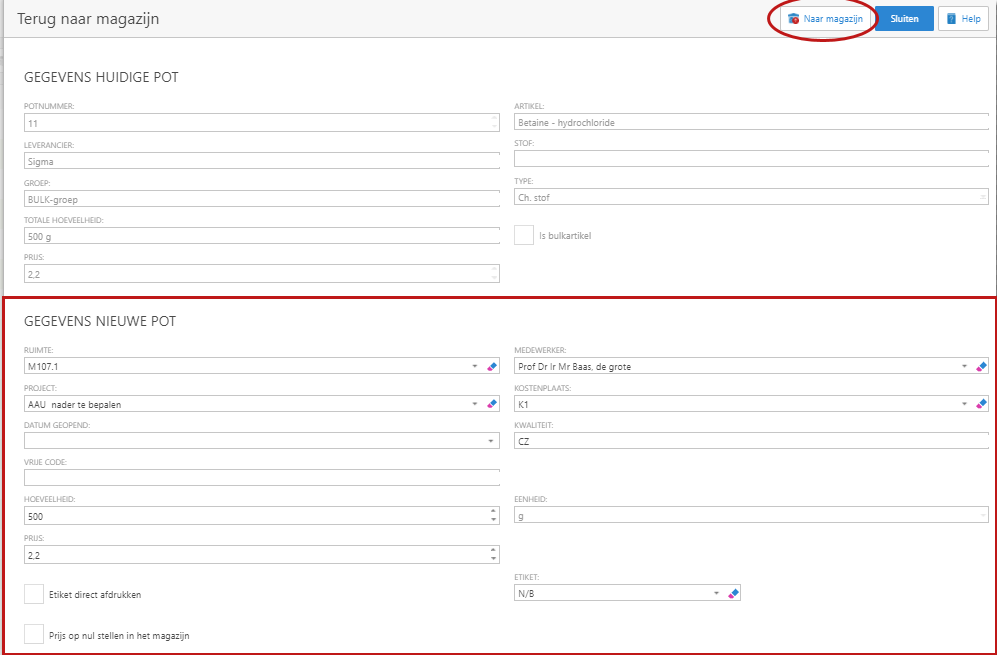
In the follow-up screen you will see the data of the current pot that has been issued; you cannot edit this data.
Fill in the requested data from the New Pot and after filling in this data click on To Warehouse.
Under the
History
tab you can find out the history per pot
See Also
Stock
Pot
History